iOS · Screen Time · Sleep · Alarm
Your Attention Is the Product.
Take It Back.
ShiftRoot blocks the apps that eat your day, walks you into bed on time, and makes you move before the alarm stops. One subscription instead of three.
- 7-day free trial
- No account required to try
- Cancel anytime
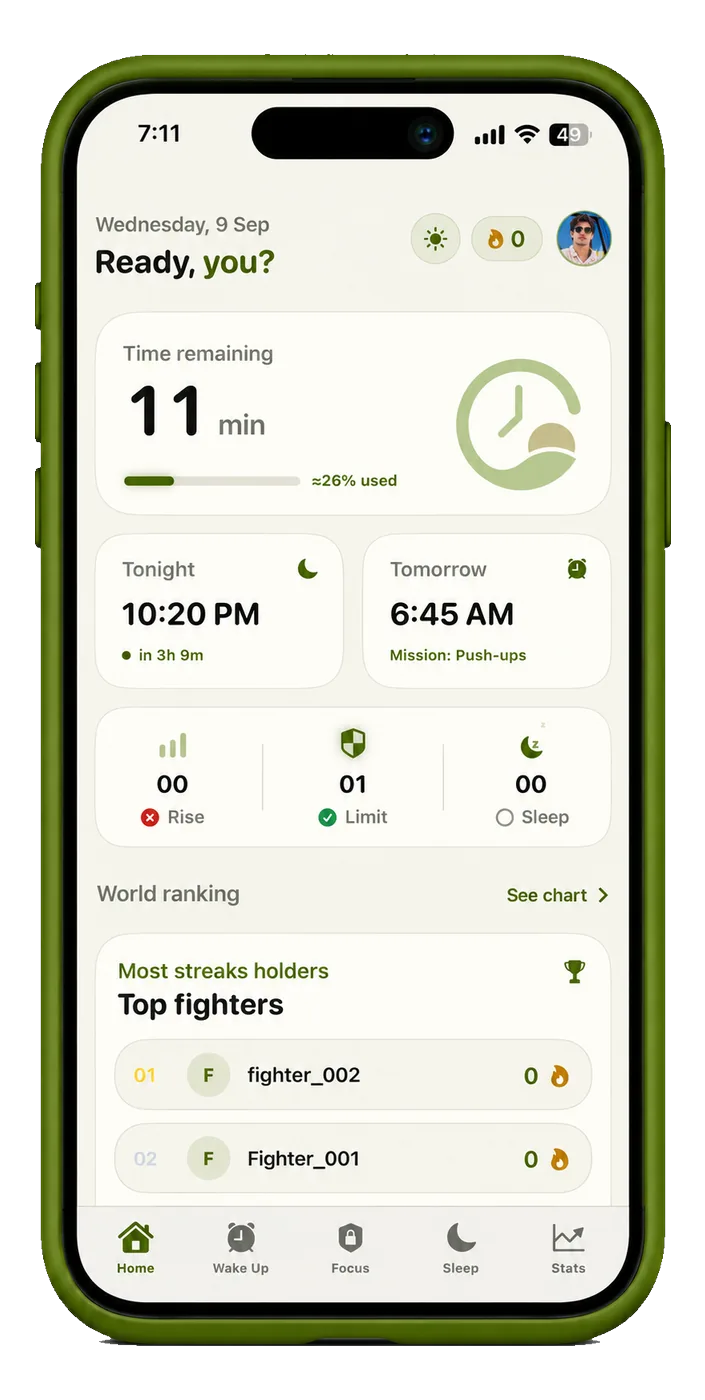
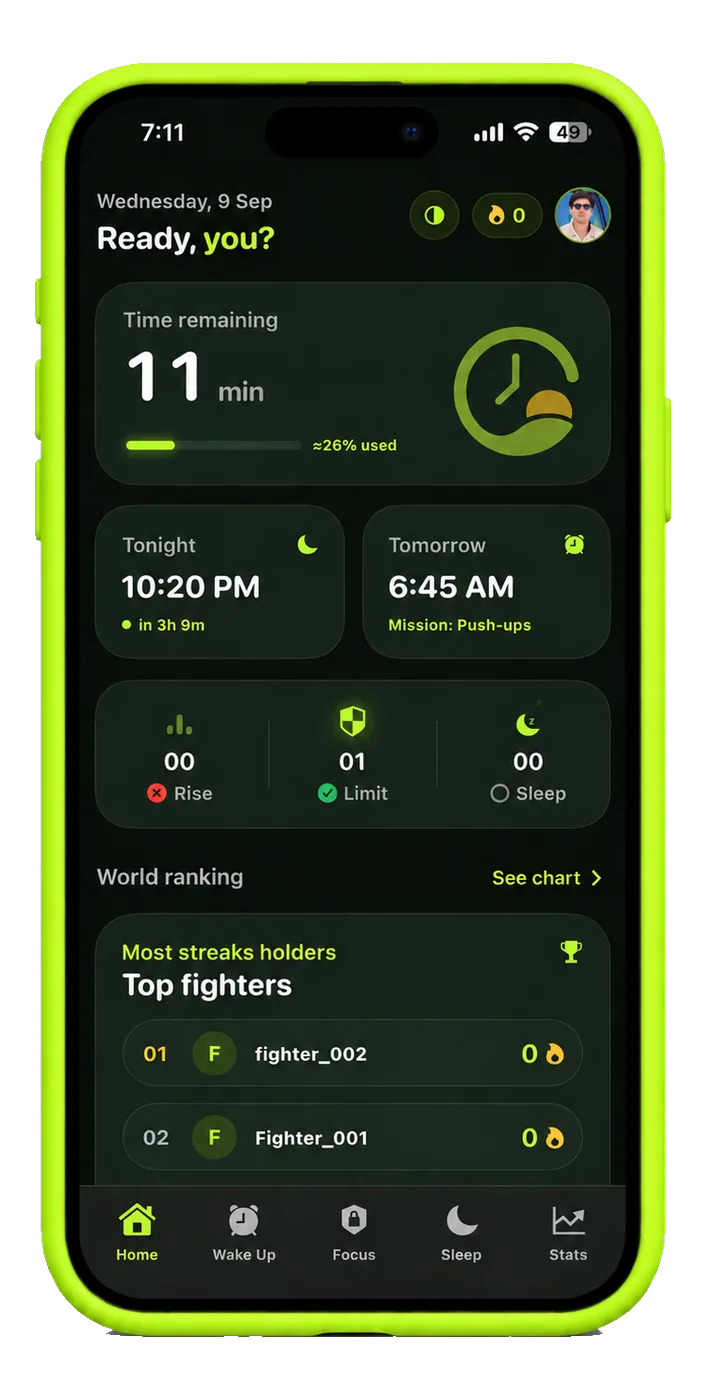
Limit kept
2h 00m of 3h 00m
2h 00m of 3h 00m
Bedtime tonight
10:20 PM
10:20 PM
Tomorrow’s mission
45 steps
45 steps
Streak
12 days
12 days
Why ShiftRoot



- Wake up. Scroll.
- Commute. Scroll.
- Lunch. Scroll.
- Bed. Scroll.
- Where did today go?
It isn’t a willpower problem. It’s a routine problem.
Your Day Starts on
Someone Else’s Feed
The shift
Same You. Same Room.
A Different Day.
ShiftRoot doesn’t ask you to become someone else. It changes the routine underneath.


Your day
Where Your
24 Hours Go
An illustrative example day.
| A usual day | With ShiftRoot | ||
|---|---|---|---|
| Sleep | 5.5h | Sleep | 8h |
| Morning routine | 0h | Morning routine | 0.5h |
| Movement | 0h | Movement | 1h |
| Work or study | 8h | Work or study | 8h |
| Rushed meals and chores | 3h | Meals | 1.5h |
| Scrolling | 5h | Intentional phone time | 1h |
| Everything else | 2.5h | Free time | 3h |
| Wind-down | 0h | Wind-down | 1h |
Features
Everything You Need
to Take the Day Back
Four things that usually mean four apps and four subscriptions, built to hold each other up.

iOS does the blocking
The shield is Apple’s own Screen Time framework, not a trick. Force-quit ShiftRoot and your limit still holds — there is nothing to force-quit.
Private by design
- Screen Time never tells us which apps you picked
- No account needed — only the world leaderboard asks for one
- Camera checks run on the phone; no frame is recorded

Change the root, and the day grows.
Read your way back in
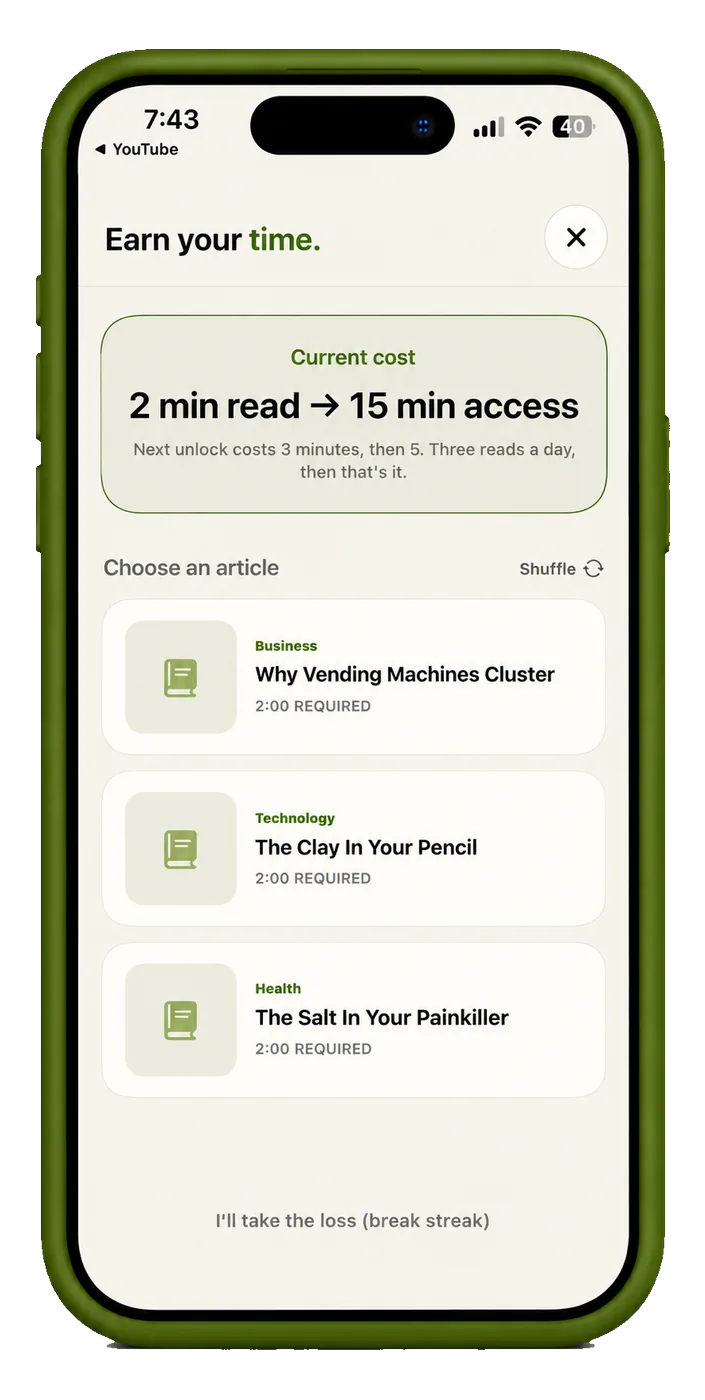
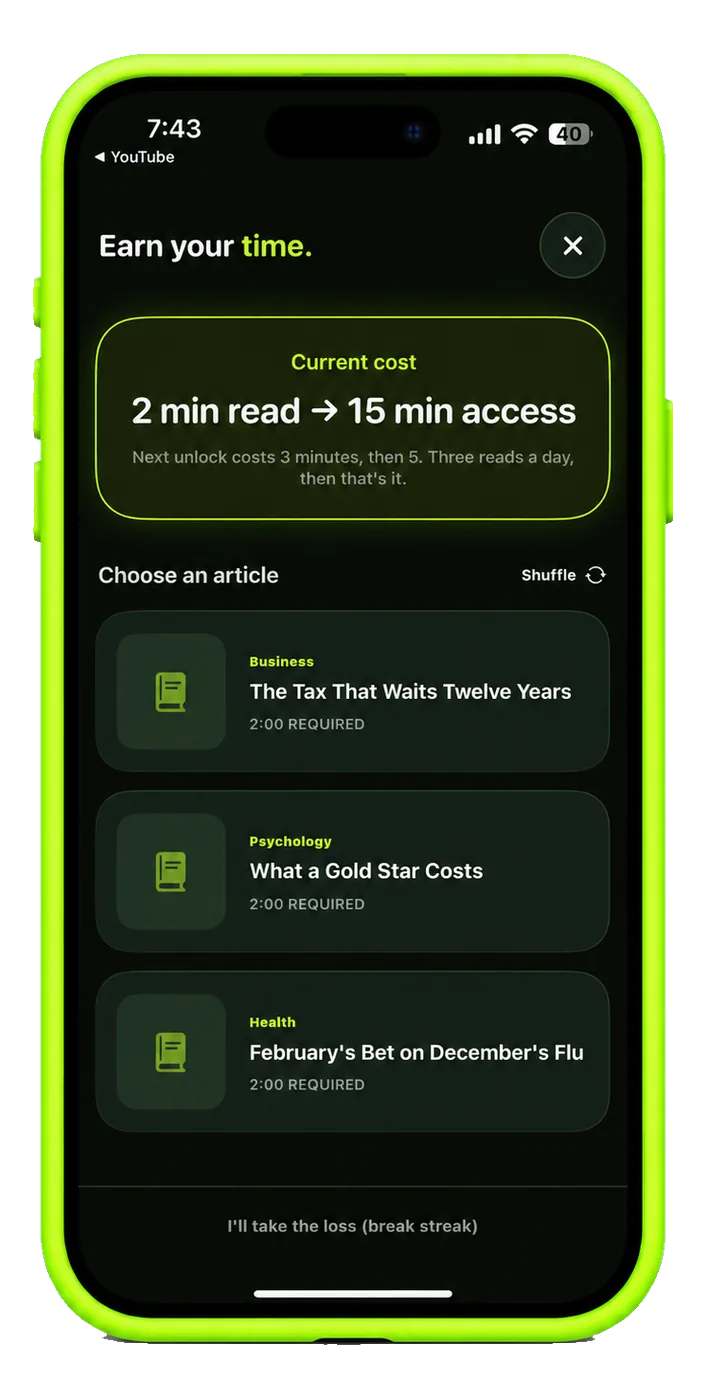
At the limit the apps lock — but two minutes of reading buys fifteen back. The next unlock asks three, then five.
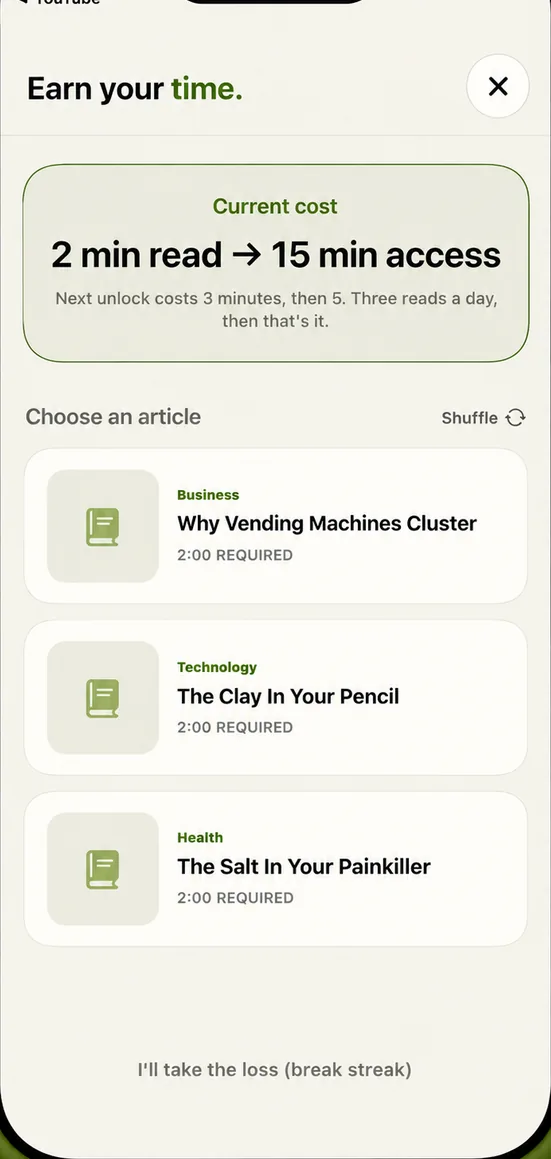
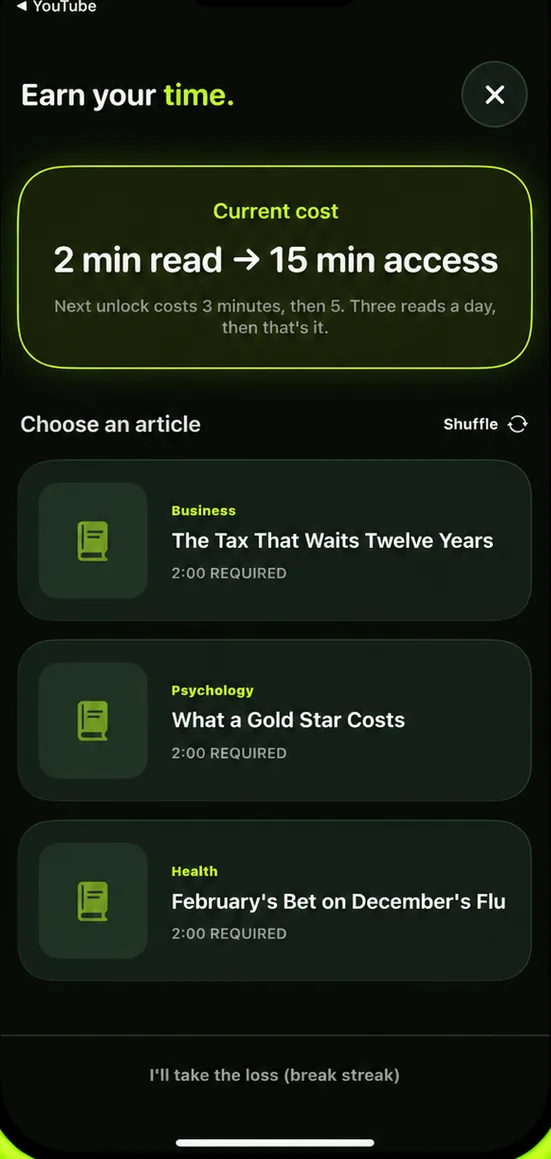
Swap the scroll for a 2-minute win.

The alarm that needs your body, not your thumb
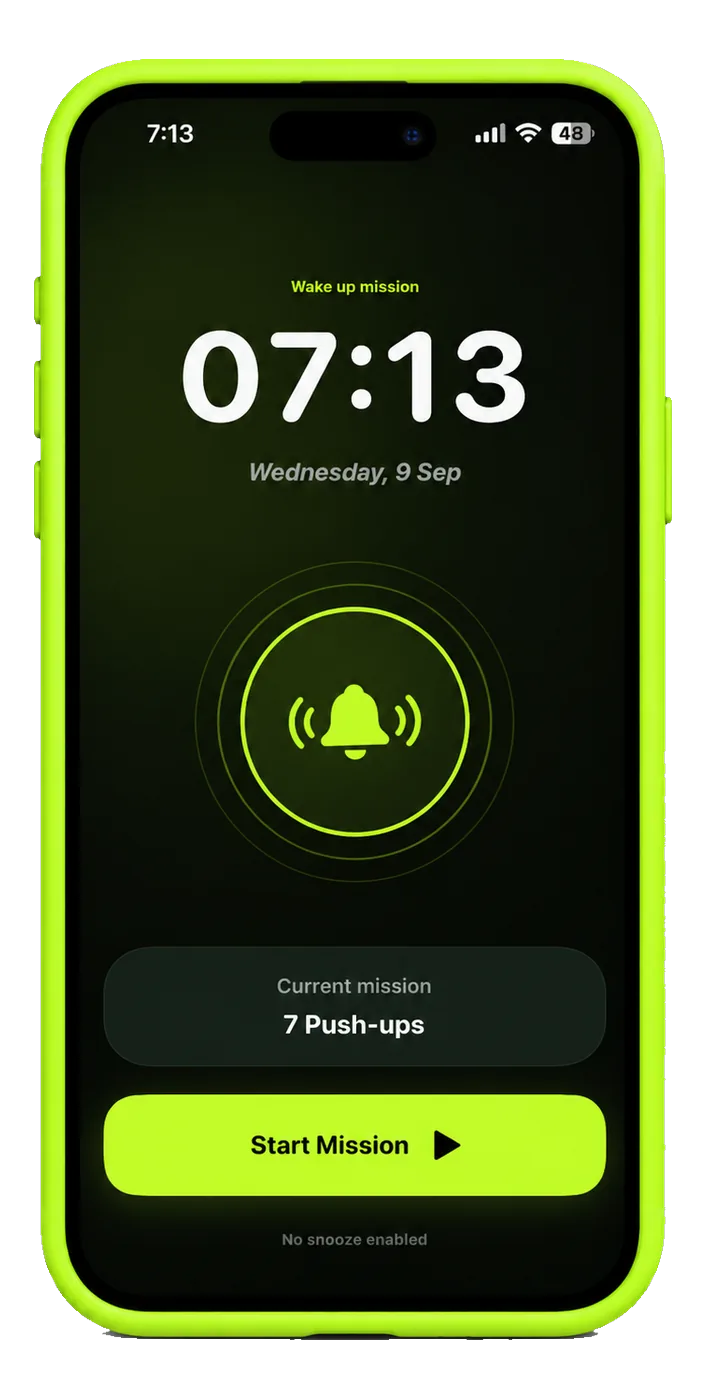
45 steps, 7 push-ups counted by the camera, or 3 maths problems. No snooze on the first dismissal, and iOS rings it whether or not ShiftRoot is open.

A streak a bad night can’t erase
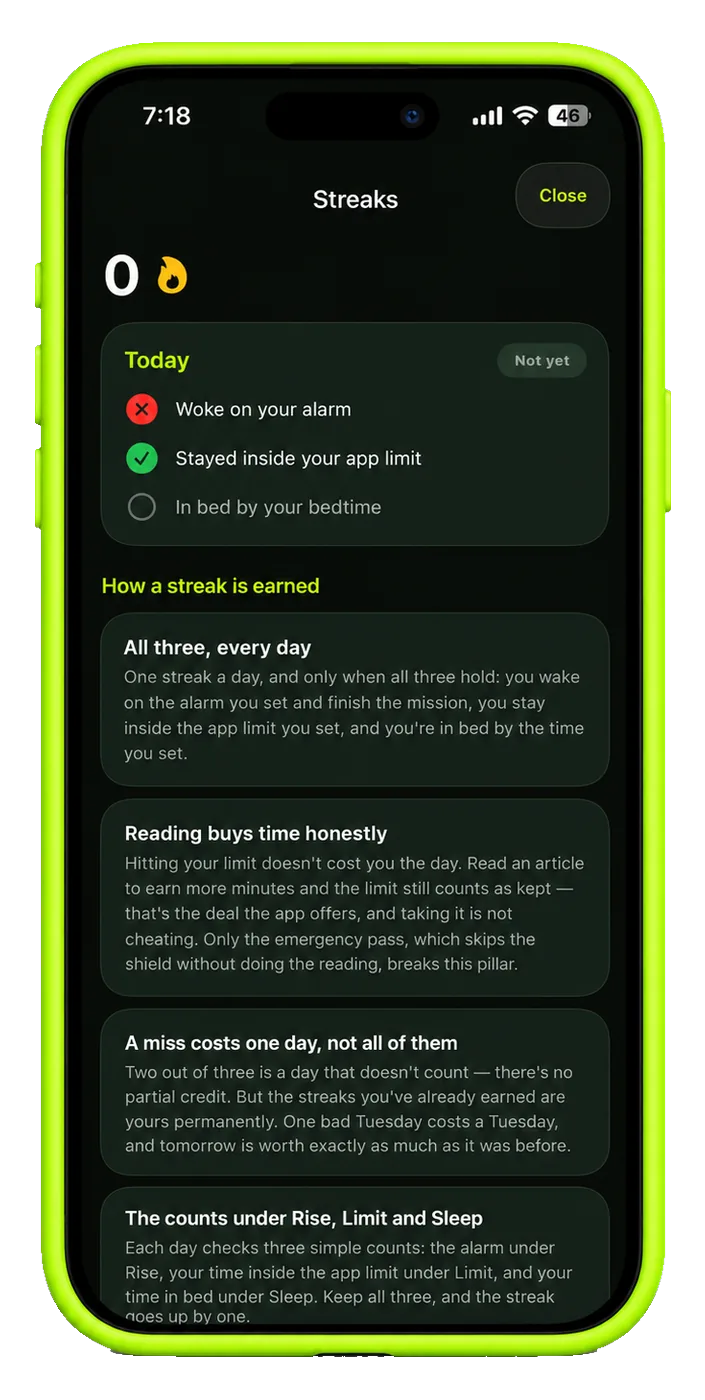
All three pillars held, and the day counts. Break one and you lose that day — never the days behind it.
Progress
Small Shifts.
Deep Roots.
Every small win grows something that lasts.


- Day 1 First morning reset
- Day 7 One-week streak
- Day 21 It starts to feel automatic
- Day 30 A routine that’s yours
Rise
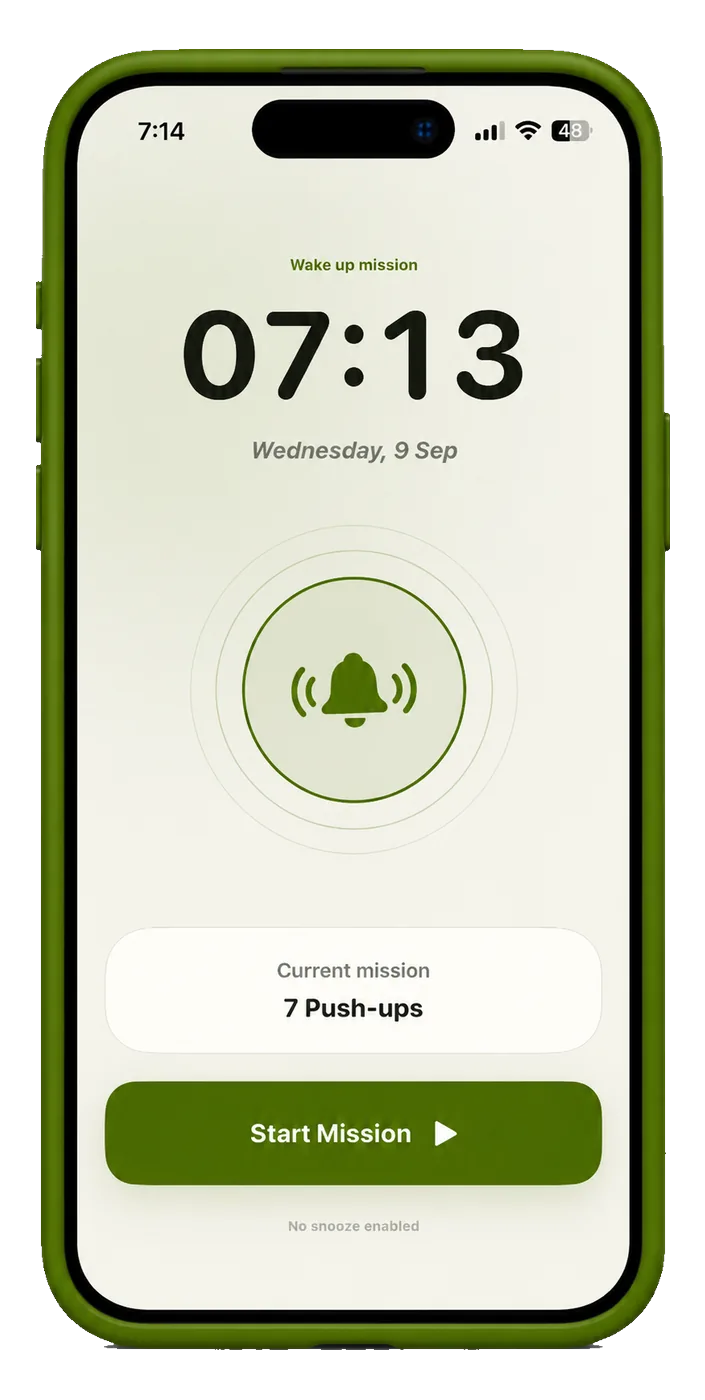
The Alarm Doesn’t Stop
Until You Wake Up.
Pick the mission the night before. In the morning it’s the only way out. No snooze on the first dismissal.
Choose your mission.
Steps, arm raises, push-ups or math. Set it before bed.
It rings anyway.
No snooze button on the first dismissal.
Move to stop it.
Walk 45 steps, do 7 push-ups, or 10 arm-and-neck rotations — sensor-counted or camera-checked.
Or do 7 push-ups.
Counted by the camera. By rep eight you’re awake for real.
Focus
Pick Your Problem Apps.
Set the Number.
Live With It.
You choose the apps and you choose the number. ShiftRoot holds it — through work hours, and through the moment you’d rather it didn’t.
Pick the apps.
You know which ones. We won’t guess — pick the apps that eat your day, one at a time.
Set the number.
Custom limits per app, a running total, and blocking schedules for work hours.
At the limit, they lock.
Nudges at 50% and 80%, then the shield goes up. One emergency pass a week — 25 free minutes, 10 seconds to cancel.
Read your way back in.
Articles matched to the interests you picked. 2 minutes of reading buys 15 minutes back; the next unlock asks 3, then 5.

Sleep
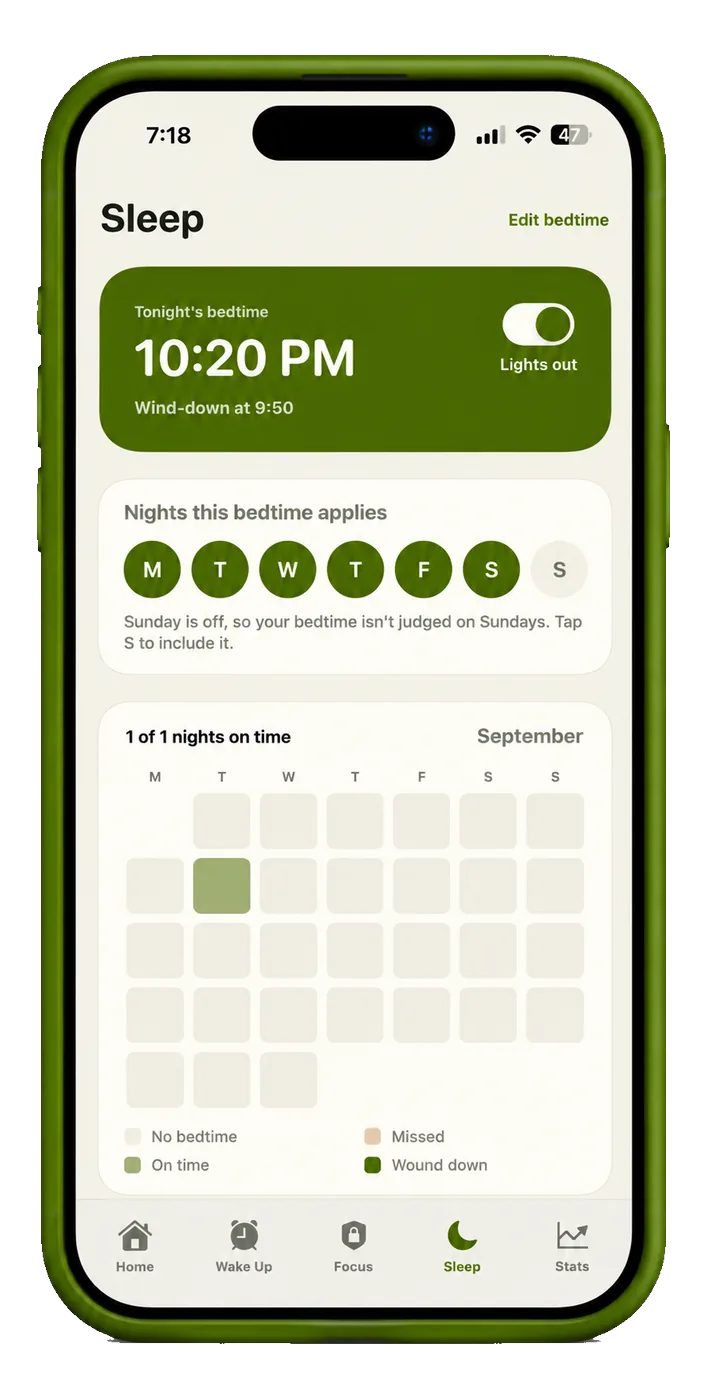
Bedtime
That Actually Holds.
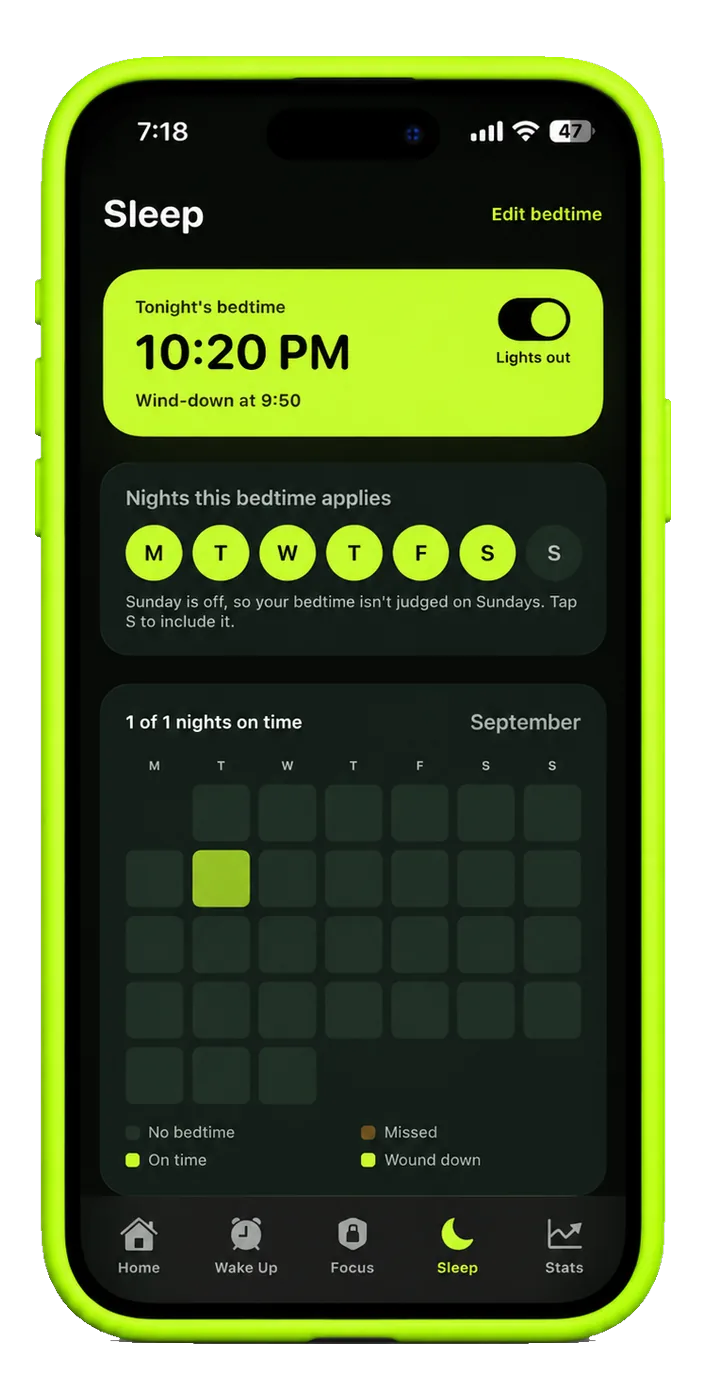
One nudge, one wind-down, and a shield that stays up until morning. The month is a dot grid, so a late night is a dot — not a verdict.
A nudge 30 minutes out.
30 minutes of phone left, says the notification. Finish anything urgent and pick your night essentials — that list closes 10 minutes before bedtime.
A 20-minute wind-down.
Start the sleep session and put the screen down — 4-7-8 breathing, and the sound keeps playing after you lock the phone.
Everything else locks.
Everything locks except the essentials you pick — maps, messages, payments. Phone calls always work. It all reopens when you finish your wake-up mission, or at 6 AM.
Two ways out.
Read to earn 15 minutes and the night still counts. Override it and you lose that night — not the days behind it.
Streaks
Consistency
Adds Up.
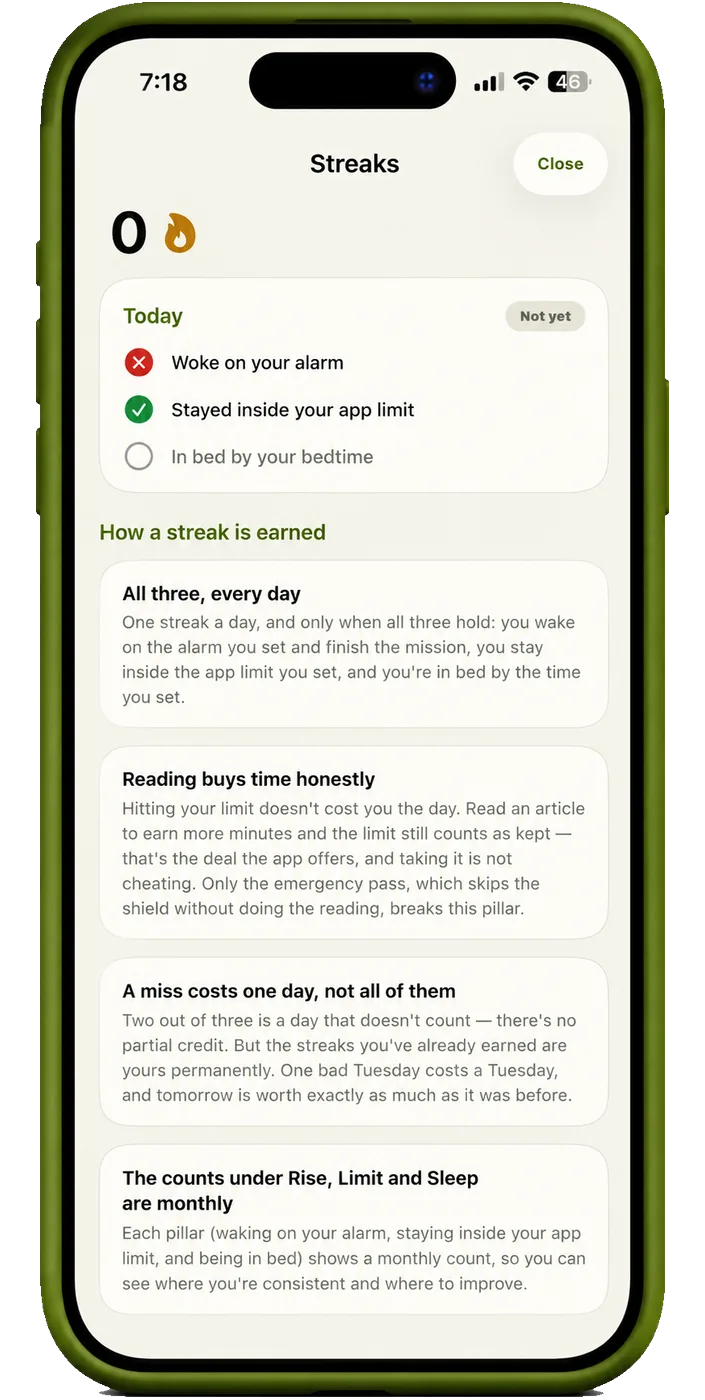
A day counts when all three pillars held. Nothing to claim, nothing to tap — and a bad night never costs you the days behind it.
- 1Streak a dayrise, limit and sleep, all three held
- 6Days a weekSunday is off by default
- 0Things to claimevery streak counts itself
The world ranking.
See how your streaks compare with ShiftRoot users worldwide. The ranking is optional and needs an account; your streak counts on this iPhone either way.
How to earn 1 streak.
Finish the mission, stay inside your limit, be in bed on time — and don’t confirm an override screen. The streak is automatic; there’s nothing to claim. Sunday is off by default.
Honest about overrides.
If you really need an app, the override is always there. Confirm it and that day won’t count — ShiftRoot tells you before you tap, never after.
Insights
See What’s
Actually Changing.
Screen time vs. your limit. Bedtime consistency. Wake-up success rate. Three numbers, tracked long enough to mean something.
Your digital routine, shifted.
Not a tracker that reports on you afterwards. The limit, the bedtime and the alarm actually hold.
Two minutes at a time.
Short reads are how the habit is built — small enough to actually do, often enough to stick.
Never locked in.
Read to earn time, or spend the free weekly pass. Nothing here traps you — it just makes the cost visible.
Built on iOS
It Works Because
iOS Does the Holding.
ShiftRoot doesn’t fight your phone from the outside. It uses the same system frameworks Apple built for exactly this, which is why the limit survives a force-quit.
- Screen TimeApple’s Family Controls put the shield up, so it holds even with ShiftRoot closed.
- AlarmsThe wake-up alarm is scheduled through iOS and rings on time whether or not the app is open.
- Motion & FitnessCounts the steps and shakes that finish a wake-up mission. Never leaves the phone.
- CameraChecks push-ups and arm raises on-device. No frame is recorded and none is uploaded.
- Apple HealthOptionally reads Apple Watch sleep data to show how blocking affects your rest. Nothing is written back.
- Home ScreenA widget with tonight’s bedtime, tomorrow’s mission and your streak.
Pricing
Free for 7 Days.
Cheaper Than the Apps It Replaces.
- App blockingUnlimited
- Article unlocksAll tiers
- Alarm missionsAll
- Sleep soundsFull library
- InsightsFull
- Streaks & world rankingIncluded
Subscriptions are purchased in the app through Apple. Prices may vary by region. Cancel anytime in your Apple ID settings — we’ll remind you 2 days before a trial ends.
$4.99 a week, $9.99 a month, or $59.99 a year. The yearly plan works out at $5.00 a month. Every plan starts with a free trial — seven days on monthly and yearly, three days on weekly — and you are not charged until it ends.
No. ShiftRoot is a subscription with a free trial rather than a free tier with paid extras. You get everything during the trial, and nothing is held back to sell you later.
In Settings → your name → Subscriptions. Apple handles all billing; cancelling there stops future renewals. You keep premium features until the end of the period you have already paid for.
No. Apple's Screen Time framework never tells an app which apps you picked or how long you spent in them. It only reports that a limit you set has been crossed. Your app names, usage minutes and browsing history are not available to us and are never sent anywhere.
Almost nothing. If you sign in for the leaderboard, the dates you earned a streak are sent so your position can be worked out — dates only, no times, no app names, no usage. Everything else — your limits, your bedtime, your alarm, your reading, your streak history — stays on this iPhone.
No. ShiftRoot works completely without an account: the alarm, the limits, the missions, the streak count and your subscription all live on the phone. An account is only needed to appear on the world leaderboard.
iOS does not allow it. Apple reserves a small set of apps — including Phone, Settings, Clock, Health and Wallet — that no third-party app may shield. Emergency calls always work. This is a system rule, not a choice we made.
Yes, and deliberately so. You can read to earn time back, use the weekly emergency pass, or confirm the override screen. The override costs that day's streak; the pass costs nothing. Nothing is ever locked in a way you cannot undo.
Your limits keep working — iOS enforces those, not us. The alarm is the exception: a force-quit app cannot play audio, so the alarm falls back to a chain of notifications. For the most reliable alarm, leave ShiftRoot running in the background.
A day counts when all three pillars hold: you finished the wake-up mission on the alarm you had set, you stayed inside your app limit, and you kept your bedtime. Any pillar you have switched off for that weekday is not judged. Confirming a red override screen costs that day and nothing else — days you have already earned are never taken away.
They are written with AI and reviewed by a person before publication. Every article is checked for accuracy and length before it can appear. If you find one that is wrong, tell us and we will correct or remove it.
Yes. Articles are stored on your phone, so reading to earn time works with no connection. Only the leaderboard and new articles need the internet.
The app is intended for people who set their own limits. Parents wanting to manage a child's device should use Apple's own Screen Time and Family Sharing controls, which are designed for that and cannot be removed by the child.
Deleting the app removes everything stored on the phone. If you signed in, your account and its streak dates stay on the server until you delete them — use Delete account in your profile before you delete the app, or write to us and we will do it.
No. ShiftRoot is a wellbeing tool for people who want to use their phone less and sleep better. It does not diagnose or treat anything and is not a substitute for professional care. If your sleep or mood is a real concern, speak to a doctor.
Tomorrow Morning
Starts Tonight.
Set one limit and one bedtime. That is the whole first day.
ShiftRoot isn’t on the App Store yet. The download link appears here the day it launches.